
How to Find Eye-Catching Images for Social Media — For Free
Higher engagement. More likes. More shares.
If you want the social media posts you’re writing for clients (or yourself) to get noticed, they need one important thing …
Visuals.
No surprise there, right?
Countless articles, studies, and online surveys point out that including images in social media posts can boost engagement by 150%, make a post 94% more likely to be seen and 40% more likely to be shared, and even entice more people to click a link or buy.
But as a writer, you may not be thinking about the visual element of a social media post until the moment you post it.
If you ever catch yourself thinking, Oh shoot, what image should I use for this post?
… then today’s article is for you.
As a writer, marketer, and former stock photographer, I’ve been creating and sourcing images for blogs and social media posts for over 15 years.
Including image sourcing as part of your writing service is an easy and fun way to increase your fees while improving the performance of your posts.
So, let’s talk about what kind of imagery works best, and how and where to source it legally — for free!
What Images Work Best for Social
According to a Venngage.com marketing survey, infographics and illustrations are the best performers among social media graphics.
Stock photos were mixed — with about 34% of marketers claiming they performed better than other types of graphics and 39% saying that they did not perform well.
You could also create quote graphics, use cartoons, make GIFs, or share original images.
Whichever you use, the success of a social media graphic comes down to three main things:
-
Visual impact — We know that people scroll mindlessly. For an image to make a social media post stand out, it needs to be compelling. That’s one of the reasons people post so many selfies. Because faces naturally attract attention. A Georgia Tech study even showed that photos of faces are more likely to get a like or comment than other types of social media content.
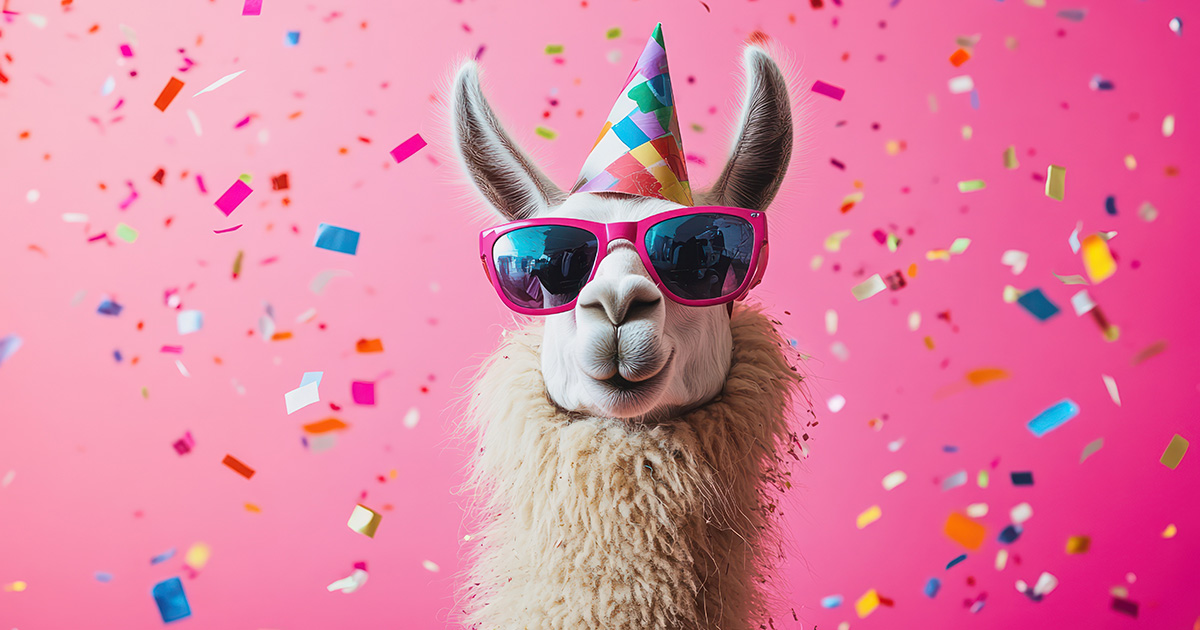
But it doesn’t have to be a selfie to grab attention. Other ways to “stop the scroll” are to find or create images with bright colors, unusual subjects, or subjects people love, like dogs. Big, bold words can work, too.
-
Authenticity — You know a stock photo when you see one. Since the dawn of microstock photography in the early 2000s, we’ve been steeped in them. Fake businesspeople with fake smiles, performing fake handshakes in fake meeting rooms. People are tired of it.
Images that work well for social media look and feel real. They’re imperfect. This is becoming even more important now that AI can create photos of people that make us question reality altogether.
-
Relevance to the Audience — Just as you consider your client’s audience when you write a post, you should do the same when sourcing imagery. Sometimes humor or silliness are appropriate. Other times, clean and simple works best. Always draw on what you know about your audience when choosing or creating an image.
And don’t be afraid to play with it. You won’t know what your audience responds to without putting something out there.
Try a mix of infographics, quotes, photos, and GIFs, and see what brings in the best results over time.
Changing up the kinds of images you use (while staying on-brand) also helps your posts remain fresh and interesting.
Where to (Legally) Source Images for Free
Unsplash.com
As a mostly “free” stock photo site, Unsplash has over 6 million photos that you can download and use without having to pay. Search for what you need, click the “down” arrow to download, and copy the attribution to give the artist credit.
Look for photos that feature your client’s brand color, with subjects that match your client’s business and style. And avoid any photos that look too posed or forced.
Wikimedia Commons
Another fun place to find images is Wikimedia Commons, which proclaims itself “a collection of 108,921,799 freely usable media files.” And that number grows regularly.
It’s a little harder to search and find what you’re looking for, but this is a great place to find art that’s in the public domain, historical photos and paintings, and photos of nature. For example, the National Gallery of Art shared over 53,000 pieces of art on Wikimedia, free to use.
Be sure to double-check whether an image requires crediting the artist/photographer.
Your Camera/Phone
You’re a writer, not a photographer? Perfect! Consumers of social media aren’t looking for perfection. They want reality. So, if you’re creating your own content, don’t be afraid to snap a selfie or share a photo of the subject you’re writing about.
And if you can work in a photo of your pet once or twice a year, even better.
Your Client
Whether you’re writing for an individual, a small company, or a large corporation, see what kinds of images you can get from them.
For individuals, selfies or headshots can work great for personal or “advice” posts, along with photos of their family or photos of them doing business.
Also ask for photos of customers enjoying the product or having success because of the product (with their permission).
Canva.com
With a free Canva account, you can create quick quote images, infographics, carousel posts, and more.
You can even type in “LinkedIn Graphic” or “Instagram Graphic” and it will offer thousands of templates — pre-sized for the platform — that you can customize in minutes.
For extra points, ask your client for their brand colors, fonts, and logo so you can customize any graphics you create to remain on-brand.
AI
Yes, AI can create images of all kinds. I’ve used it for social posts, with some success. But I’m including it as the last option. AI images are everywhere, and they’re obviously AI-created (hello, six fingers!). Even when it gets human anatomy right, there’s still something so “AI” about the images that screams “lazy!”
If you’re an AI expert and you know how to get a unique result through meticulous prompting, go for it! But for the rest of us … photos and Canva are our best bets.
A Word About Rights
Legally, you can’t use a photo of a recognizable person, private property, or brand for commercial use (to promote something) without permission. Even if an image is in the public domain (like Wikimedia). With Unsplash and stock photos inside of Canva, all recognizable people have given permission, so you’re free to use those.
Yes, people often use GIFs of famous people to promote things. They’re taking a small risk doing so.
If you want to be extra-careful, read up on the rights of any site or service you use to source images.
And if you want to be extra-extra careful (and have some fun), create them yourself!

The AWAI Method™ for Becoming a Skilled, In-Demand Copywriter
The AWAI Method™ combines the most up-to-date strategies, insights, and teaching methods with the tried-and-true copywriting fundamentals so you can take on ANY project — not just sales letters. Learn More »

Guest, Add a Comment
Please Note: Your comments will be seen by all visitors.